Problem
Sales teams spend hours manually copying LinkedIn profile data into spreadsheets for prospecting and outreach. The process is tedious, error-prone, and doesn’t scale. A rep researching 50 prospects might spend an entire afternoon copying names, titles, companies, and locations from LinkedIn into a Google Sheet.
Most off-the-shelf tools charge $50-200/month and come with dashboards, analytics, and features nobody asked for. For teams that just need profile data in a spreadsheet, that’s a lot of overhead for a simple data pipeline.
Why this solution
I built this because I needed it. During my sales career, prospecting was a constant grind, and the manual data entry was the least valuable part of the workflow. The tool I wanted didn’t need a UI. It needed to read from a sheet, hit an API, and write back to the same sheet. That’s a script, not a SaaS product.
Tech Stack
- Python for the scripting layer. The standard library handles HTTP requests and JSON parsing cleanly. No framework needed for a focused automation script.
- Google Sheets API (v4) for reading input URLs and writing structured output. Using the API directly (not a wrapper library) keeps the dependency footprint minimal and gives full control over batch operations.
- ScrapIn.io API for LinkedIn profile data extraction. Handles the complexity of LinkedIn’s anti-scraping measures, returning structured JSON with name, title, company, location, and connection data.
- OAuth 2.0 for secure Google Sheets authentication. The script uses a service account with scoped permissions, so it only has access to the specific spreadsheet it needs. No broad Google account access.
- REST API integration pattern throughout. Both APIs are consumed via standard HTTP requests with proper error handling, retry logic, and rate limiting.
Data pipeline
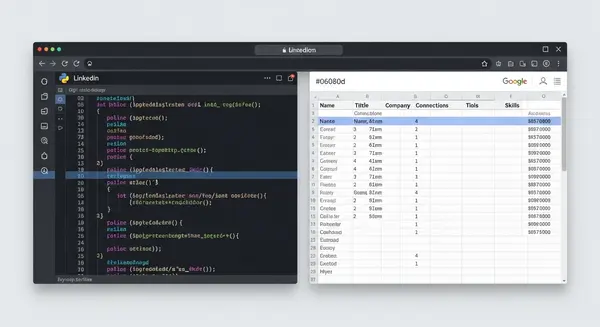
- Input: The script reads LinkedIn profile URLs from a designated column in the input tab of a Google Sheet.
- Validation: URLs are validated against LinkedIn’s profile URL pattern before making API calls. Malformed URLs are skipped and logged.
- Extraction: Each valid URL is sent to the ScrapIn.io API. The response is parsed into structured fields: name, headline, current company, location, connection count, and profile summary.
- Rate limiting: Requests are throttled to respect API rate limits. The script includes configurable delays between requests and handles 429 (rate limit) responses with exponential backoff.
- Output: Structured data is written to a separate output tab in the same Google Sheet. Input and output stay separated for clean data management.
- Error handling: Failed requests are logged with the URL and error type. The script continues processing remaining URLs rather than failing on the first error.
Key decisions
- Script over SaaS. This didn’t need a web app. A clean Python script that anyone can run locally solves the problem without infrastructure overhead.
- Google Sheets as the database. The target users already live in spreadsheets. Meet them where they are. No need to introduce a new tool into their workflow.
- Separation of input and output. URLs go in one tab, results land in another. Clean data flow, easy to audit, and you never accidentally overwrite your input data.
- Minimal dependencies. The script uses only
google-auth,google-api-python-client, andrequests. No heavyweight frameworks, no complex setup. Anyone with Python installed can run it in minutes. - Open source from day one. This is a utility, not a competitive advantage. Open-sourcing it under MIT makes it useful to anyone who has the same problem.
Outcome
Open-sourced on GitHub under MIT license. The tool eliminates manual data entry for LinkedIn prospecting and can process batches of profiles in minutes instead of hours. The codebase is intentionally simple enough that other developers can fork it and adapt it to their own workflows.
Lessons learned
- Not everything needs to be a product. The instinct to build a full SaaS around every useful tool is strong, but sometimes a well-documented script is the right answer. Lower maintenance, lower complexity, faster to ship.
- Meet users where they are. Google Sheets isn’t the “best” database, but it’s the one sales teams already use. Forcing users to adopt a new tool to solve a small problem means they won’t adopt it at all.
- Error handling is the whole project. The happy path (fetch data, write to sheet) took an afternoon. Handling rate limits, malformed URLs, API timeouts, and partial failures took the rest of the week. That’s where the real engineering is.